Gutenberg Times: Gutenberg 24.0, the road to 7.2, a new default theme named Ipsum, and more—Weekend Edition 377
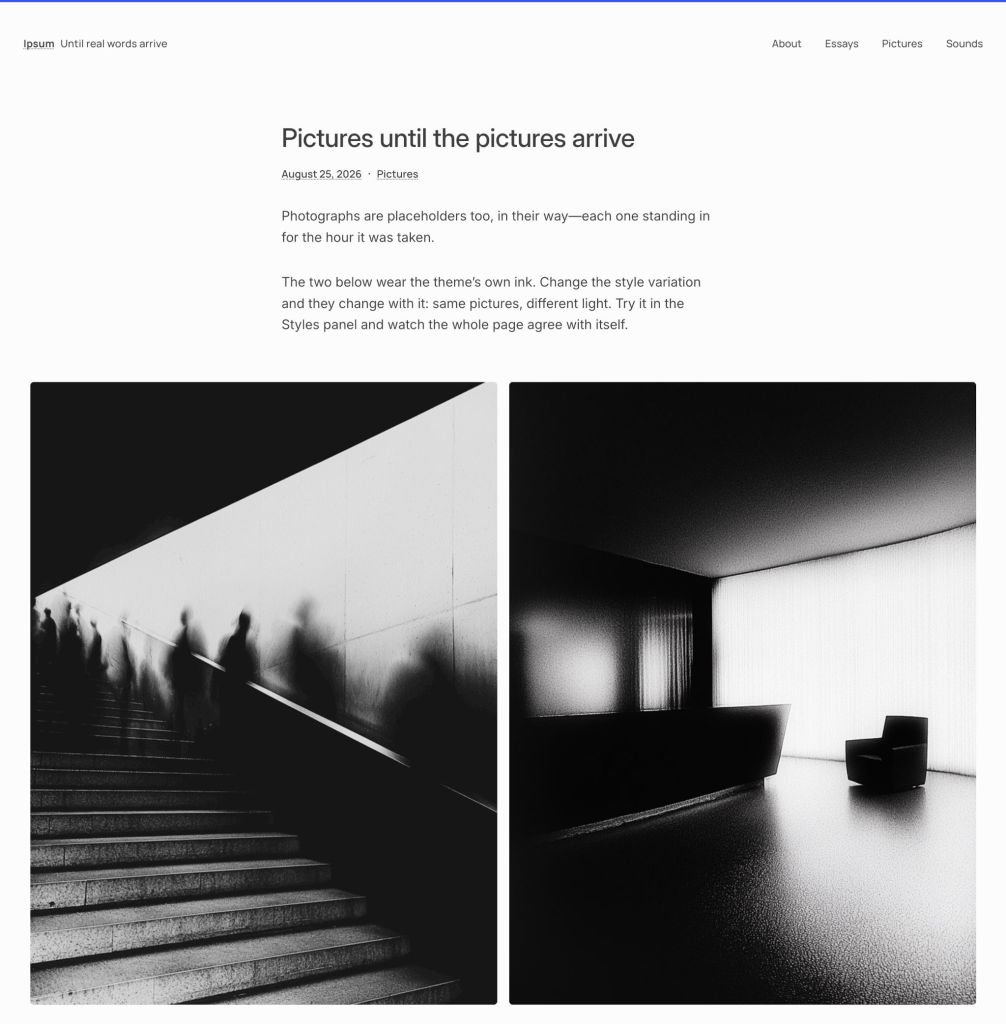
Howdy, Before anything else: if you maintain WordPress sites, go update them. WordPress 7.1.2 shipped on September 22 to patch a single critical vulnerability in page template resolution, one that lets an unauthenticated attacker load a chosen PHP file from outside your active theme’s directories. Now let’s move on to better things. Anne McCarthy is auctioning off her framed WordPress release albums, the ones given to release squad members. All the proceeds go to Stimpunks, a nonprofit started by Ryan Boren, who joined the project in 2003 and wrote the plugin system that nearly every site runs on. She calls the albums “a form of a gold medal to me,” and she built the auction site herself in a week. The starting bid is $500. We also learned this fortnight that the next default theme will be called Ipsum, which means 16 years of naming themes after the calendar is over. Admittedly, I’ll miss the old Twenty* names a little. But it’s time for something new for a new era. Two more quick things: WordPress has taken its turn leading the Open Website Alliance, alongside Drupal, Joomla!, and TYPO3, with Mary Hubbard holding the rotating presidency for the WordPress Foundation. And starting with 7.2 in December, release parties move from in-person events to livestreamed webinars, so the whole squad can actually be there. Enjoy your weekend! Your friendly neighborhood dev advocate, Justin Tadlock Table of Contents Developing Gutenberg and WordPress Plugins, Themes, and Tools for #nocode site builders and owners Theme Development for Full Site Editing and Blocks Building Blocks and Tools for the Block editor AI in WordPress Developing Gutenberg and WordPress Two security releases in six days. WordPress 7.1.2 is the urgent one, and it’s security-only: an unauthenticated attacker can, under the right conditions, make page template resolution include a readable local PHP file from outside the active theme directories. John Blackbourn led the release, Robert Ressl disclosed it, and the fix was backported to every eligible branch going back to 4.7. Five days earlier, WordPress 7.1.1 arrived as the regular maintenance release with 11 security fixes, 17 bug fixes on Core, and 19 for the Block Editor. Aaron Jorbin led it, and Anthropic is credited twice in the security list. Aki Hamano announced what’s new in Gutenberg 24.0. The big feature: post title changes now show up in revisions with a proper diff, so you can stop guessing when a rename happened. The Gallery block gains a Grid variation with column count and “crop images to fit” configurable per breakpoint, and Site Title picks up fit-text, scaling to the width available instead of a fixed point size. And nearly 100 icons were redrawn on a stroke-based grid. Stalled out somewhere between “clone the repo” and “why won’t this build”? Contributor Toolkit 1.2 from JuanMa Garrido now covers Gutenberg as well as Core, and it runs a stock WordPress in Playground with your checkout mounted as the plugin, already activated. No local server, no Docker. The road to 7.2 Anne McCarthy published the roadmap to 7.2, and it looks to be a security-heavy cycle by WordPress standards. Sudo mode gates sensitive admin actions behind re-authentication, a new Secrets API gives credentials “a first-class way to store credentials safely,” and Application Passwords get hardened. Notes should gain a suggestion mode and emoji reactions. Designers get form element customization in Global Styles and custom block states. The final release lands in early December. Real-time collaboration came out of WordPress 7.0, and Chris Zarate has now explained why in a post on moving to a server-aware approach for collaboration, written with Alec Geatches, Dennis Snell, ingeniumed, and Paul Kevan. The old design had browsers hold the post in a CRDT document and sync peer-to-peer, which broke three ways: the server couldn’t tell who made which edit, opening the door to content laundering; REST API and WP-CLI updates couldn’t participate, so saves became all-or-nothing overwrites; and a dropped connection could take your work with it. Three candidate sync engines are on the table, with a gutenberg-sync-engines repo to test against. If you build editorial tooling, have an opinion about this now. The next default theme has a name, and for the first time in well over a decade, it isn’t a year. Henrique Iamarino introduced Ipsum, built with Carolina Nymark, Maggie Cabrera, and Juanfra Aldasoro. The reasoning behind the naming change: “default themes will have their own names and change when the design calls for it, not when the calendar does.” The theme is intentionally spare. It’s blog-first, has minimal typesets, and structural elements that stay invisible until you need them. The request is simple: “try it and tell us what breaks and what’s missing.” Nik Tsekouras opened a call for testing the DataForm editor inspector, which rebuilds the Post and Page tab of the Settings sidebar so it stops drifting from Quick Edit in the Site Editor. Install Gutenberg 24.0 or later and enable Editor Inspector: Use DataForm under Settings → Gutenberg. Test it as an editor, author, and contributor, not just as an admin. Behind the release A minor release can touch more than twenty branches, and much of that work was done by hand. Lance Willett opened a public repo of Core release tools, which includes tagging, release docs, SVN merge verification, and contributor lists. Huzaifa Al Mesbah counted 84 people who tested WordPress 7.1 across 337 Trac tickets. Fifty were first-timers, which is 60% of everyone who showed up. The most important line: “you don’t need to be a developer.” 7.2 testing is open now. Plugins, Themes, and Tools for #nocode site builders and owners WooCommerce 11.2 lands the week of October 6, so read Shani Banerjee’s pre-release notes before it arrives rather than after. Order withdrawal emails become configurable, the CSV importer can match products by Global Unique ID when neither ID nor SKU is available, and checkout fields gain date support with min/max validation. Two of the seventeen developer advisories will bite if you ignore
Dennis Snell: Enter the mess: Shortcodes
Tonight I started working on some Shortcode processing in WordPress. This is an historically nasty problem because the Shortcode syntax and parsing is wildly dynamic. Shortcode syntax is only technically recognized for shortcodes registered at the time of parsing. This means that there is not a general Shortcode grammar. Whether a shortcode has “content,” meaning whether it expects a closing tag, depends on whether the closing tag exists in the post. This is a problem that has plagued me for years and I have generally just ignored. There’s an open Core issue in Trac for changing some shortcode parsing (#50683), and I have thought a lot about it. But I think there is more to explore, and more to gain. Maybe this goes nowhere, but keep your eyes open for it.
Open Channels FM: Your Website Could Use a Changelog to Fuel Creativity
A website changelog helps creators document progress, celebrate small wins, showcase evolution, fuel creativity, and build audience trust. It can include updates, humor, and various formats, making it accessible for all.
Open Channels FM: Is It Time to Move On? Navigating Change and Letting Go in Fast-Paced Times
A reflection on recognizing the right time to move on from creative projects and handling self-doubt.
OpenStation Blog: “I can’t imagine using WordPress any other way”: the love behind OpenStation
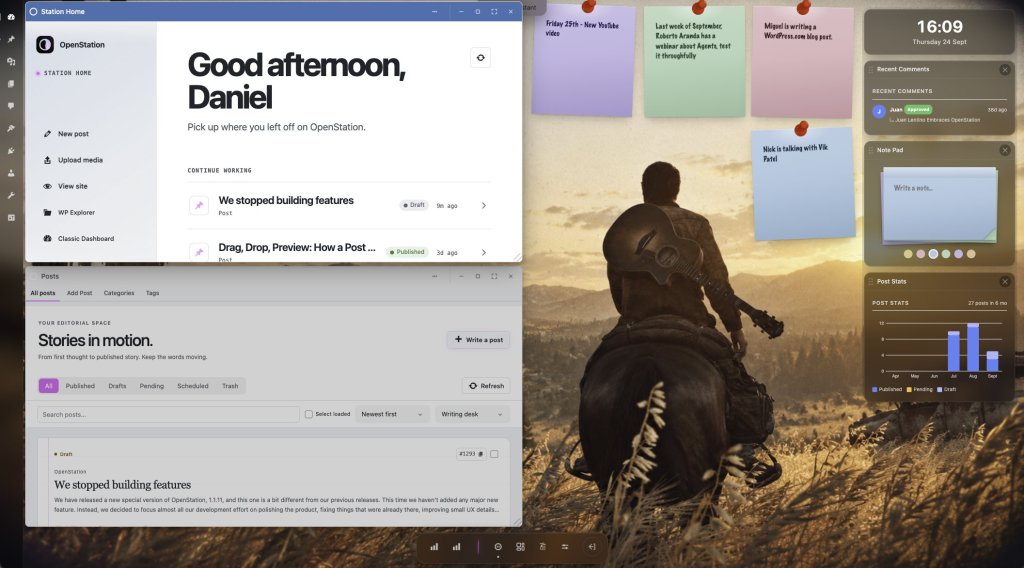
OPENSTATION · COMMUNITY VOICES Formerly Desktop Mode, now a new way to feel at home in wp-admin. A plugin can accumulate installs. It is rarer for people to describe it as a new way of thinking. As of September 25, 2026, OpenStation, known in its earliest releases as Desktop Mode, has inspired 23 public WordPress.org reviews: 22 five-star and one four-star. OpenStation turns the WordPress admin into a spatial workspace: movable windows, a dock, a taskbar, widgets and virtual desktops. That is the feature list. The feeling is better told by the people who use it. The words that stopped us in our tracks 1. When a plugin becomes the default “I can’t imagine using WordPress any other way. I love this plugin so much.” — Nick Hamze, “Favorite plugin ever” That may be the highest compliment a tool can earn: not merely useful, but difficult to imagine living without. Nick’s review reads less like a rating and more like an invitation to join a movement. “This is a game-changer. Can never go back!” — ainom, “Absolute pure awesomeness” OpenStation begins as a striking visual idea, then quietly rewires expectations. Once several admin screens can live together, the old one-page-at-a-time flow feels surprisingly distant. 2. When the metaphor improves the work “It genuinely feels like using a lightweight operating system inside WordPress.” — spackenjaeger, “A revolutionary new WordPress admin experience” The operating-system metaphor is not decoration. Windows hold context. The dock makes tools reachable. Virtual desktops separate kinds of work. The familiar desktop grammar turns multitasking into something visible and natural. “Having several admin screens open at once changed how I work more than I expected.” — Juan Lentino, production user and plugin integrator Juan’s review is especially telling: he has run OpenStation in production since the Desktop Mode days and builds integrations against it. The novelty faded; the workflow remained. 3. When delight becomes productive “The desktop-style layout, draggable windows, dock, and taskbar make the admin area feel completely different in the best way.” — Marco Moreira, “A refreshing new way to use WordPress admin” Productivity software does not have to be joyless. The best interfaces reduce friction and add a little momentum, the feeling that the workspace is helping rather than merely waiting. “This plugin blowed my mind. It turns your wordpress admin in such a beautiful dashboard. What an experience.” — MauroS, “One word… Wow!” The wording is wonderfully unfiltered. Beauty, surprise and experience are not side effects here; they are part of the product. 4. When people see the road ahead “This is definitely something I would use on a daily basis. Well done!” — vepth, “I’m blown away” “Desktop Mode definitely stands out with its own approach.” — Rami Obeidat, “Modern and creative admin experience” Both reviews point to the same achievement: OpenStation is not chasing a generic “modern admin” look. It has a point of view—spatial, extensible and unmistakably its own. From Desktop Mode to OpenStation The project’s name changed because its ambition outgrew a mode. “Desktop Mode” described the first transformation. OpenStation describes the platform emerging around it: a place where WordPress apps, windows, widgets and workflows can meet. “The integration surface is unusually well behaved for a plugin this ambitious.” — Juan Lentino, WordPress.org reviewer and integrator That sentence matters as much as the praise for the interface. The magic users see is supported by a public API that plugin authors can build on, frequent releases and an opt-in design that keeps classic WordPress one click away. The best roadmap is a chorus Names change. Interfaces evolve. Code ships, breaks, improves and ships again. What stays constant in these reviews is the feeling that WordPress can be more personal, more spatial and more alive. OpenStation is still moving fast. But if the people already living in it are any guide, the destination is worth watching, and the journey is already changing how they work. Explore OpenStation on GitHub →Read all WordPress.org reviews → Quotes are excerpted from public WordPress.org reviews. Spelling is preserved; excerpts are linked to their original sources.
Matt: Bruce Schneier on Systems
Bruce is one of my favorite writers. He packs profoundness. Also honored that he’s an advisor at Automattic, truly one of my idols. His blogs and books rocked my world when I was young.
Open Channels FM: How Generational Perspectives Shape Our Digital Work Lives
Cami and Bob talk about adapting to tech changes growing older in the web industry and keeping routines that work.
Open Channels FM: Navigating Support Systems from the Man Cold to Open Source and WordPress Open Web Alliance
Examining support systems behind open source, the open web, and everyday life, along with why sustaining these efforts is necessary.
Open Channels FM: The Podcast Open Makers is Archived
The podcast network has reduced its active lineup to four shows, leading to no new episodes for Open Makers. However, past content remains accessible, with a shift towards deeper discussions on open source and web trends.
#234 – K. Adam White on Migrating to Blocks With Artisanal Care and Enterprise Efficiency
Transcript [00:00:19] Nathan Wrigley: Welcome to the Jukebox Podcast from WP Tavern. My name is Nathan Wrigley. Jukebox is a podcast which is dedicated to all things WordPress. The people, the events, the plugins, the blocks, the themes, and in this case, migrating to blocks at an enterprise level and what’s involved in moving from a different CMS into WordPress. If you’d like to subscribe to the podcast, you can do that by searching for WP Tavern in your podcast player of choice, or by going to wptavern.com/feed/podcast, and you can copy that URL into most podcast players. If you have a topic that you’d like us to feature on the podcast, I’m keen to hear from you and hopefully get you, or your idea, featured on the show. Head to wptavern.com/contact/jukebox and use the form there. So on the podcast today, we have K. Adam White, or K. Adam for short. K. Adam is the principal engineer at Human Made, an enterprise WordPress consultancy. He’s been involved with WordPress for almost 20 years, attending his first WordCamp in Boston back in 2011, and has contributed to WordPress Core and the broader open source ecosystem. Human Made is known for delivering complex projects, think high stakes, no room for mistakes? From global brands moving to WordPress. This time around, K. Adam delivered a presentation at WordCamp US focused on a crucial topic for anyone modernising their site, migrating to blocks. Human Made has been all in on the block editor since the Gutenberg plugin days, and the team now specialises in large scale migrations from other content management systems like Sitecore, as well as from other WordPress page builders. Our conversation focused on the technical and editorial challenges of moving tens, or hundreds, of thousands of posts into the world of blocks and patterns. We talked about the need to combine artisanal care, attention to detail in design, layout, and brand, with industrial scale. The ability to automate, audit and validate mass migrations without losing visual fidelity. We also discussed the use of patterns as a foundation for development, integrating custom and Core blocks, and leveraging new tools, including AI powered agents and open source plugins like Human Made’s, own rehydrator, to streamline migration workflows. We also touched upon how clients are onboarded. The process of auditing legacy content. Strategies for training editorial teams on the block editor. And there’s a frank reflection on gaps in WordPress, like granular content permissions. If you are contemplating a move to the block editor, wrestling with a massive content migration, or curious about what happens when enterprise complexity meets the flexibility of WordPress, this episode is for you. If you’re interested in finding out more, you can find all of the links in the show notes by heading to wptavern.com/podcast, where you’ll find all the other episodes as well. And so without further delay, I bring you K. Adam White. I am joined on the podcast by K. Adam White. Hello, K. Adam. [00:03:41] K. Adam White: Hello. It’s good to be here. [00:03:42] Nathan Wrigley: Yeah. Thank you for joining us. You have an interesting name. Just go on, I know it’s totally off piste, but tell us about your name. [00:03:49] K. Adam White: Sure. It’s a first initial K, and the middle name Adam that got conjoined in college and I quite like it. So I think in a sphere, and a particular niche in WordPress with so many Adams of so many different colours, then K. Adam is a little bit more me. [00:04:04] Nathan Wrigley: Yeah, nice. So we’re in the corridor, so forgive any noise that you hear on this podcast episode. We can’t avoid it. We’re in the corridor at WordCamp US, and you have done, some presentation work this time around. Do you want to just tell us, I mean I presume it’s happened because we’re at the very closing stages of the conference. How did it go? [00:04:21] K. Adam White: It went, as far as I can tell, quite well. My session was early yesterday, right after the morning keynotes in that early slot where everyone’s coffee has kicked in, and the fatigue of the conference hasn’t quite set in yet. So I had a great audience and the talk I thing went quite well. I’ve had a number of different conversations off the back of it on various different topics that I covered. So the breadth of those discussions has been really exciting for me. [00:04:44] Nathan Wrigley: So that is going to be the meat and the bones of what we’re going to talk about today. But first, if you don’t mind, let’s talk a little bit about you and what you do and where you work, just so that we can paint your credentials if you like. So tell us about your job, how long you’ve been in the WordPress space? Who do you work for? Et cetera. [00:04:59] K. Adam White: Yeah. My job is principal engineer at Human Made. We’re a WordPress enterprise consultancy, and I have been there nine years. I’ve been in the WordPress community quite a lot longer than that. My first WordCamp was WordCamp Boston 2011, which is a mind boggling 15 years ago now. And before that, I had been using WordPress personally since 2007. So we’re coming up on 20 years of involvement, at least as a user. And then, became a contributor in the early 2010s around 2013, I think my first commit landed. [00:05:25] Nathan Wrigley: Yeah, nice and Human Made, if you haven’t heard, we’ll put the links into the show notes, anything that K. Adam mentions today, we will put us a link on the WP Tavern podcast episode website, so you can click through to it. But go and check out Human Made, definitely one of the big hitters. I think it’s fair to say in the WordPress space. [00:05:40] K. Adam White: It’s very kind